.png?width=200&height=51&name=brandmark-design%20(1).png)

NZ Sole Trader’s Guide to GST and Invoicing NZ Sole Trader’s Guide to GST and Invoicing The...
Turn Google Reviews Into Growth for Your Service Business
How to Turn Google Reviews Into a Growth Machine for Your Service Business
If you run a service business—whether it’s cleaning, landscaping, trades, mobile detailing, lawn care, or home maintenance—you already know this truth: people trust people. And these days, "people" most often means strangers leaving authentic Google Reviews.
Across New Zealand and Australia, Google Reviews don’t just influence how frequently your business shows up online—they’re a crucial factor in whether potential customers choose you over the competition. With the right strategies, these reviews can become a powerful growth engine, not just another tick on your to-do list.
This guide will walk you through how to turn Google Reviews into more qualified leads, stronger customer trust, and smoother daily operations. Plus, we’ll show how job management software like Taskly can help you streamline the entire review process without adding extra admin headaches.
Why Google Reviews Matter More Than Ever
Research into small business trends across NZ and AU reveals several clear insights:
- People trust Google Reviews almost as much as personal recommendations.
- The volume, rating, and recency of reviews all influence your ranking in Google Maps and local search results.
- Businesses with fresh positive reviews convert more leads into paying customers.
For service providers, where word-of-mouth and local visibility are key, Google Reviews are one of the most cost-effective growth tools at your disposal.

The Review Flywheel: How Reviews Turn Into Revenue
Think of Google Reviews as a four-step growth loop:
- Generate more high-quality, genuine Google Reviews.
- Optimise those reviews to boost your local SEO and increase customer conversions.
- Respond and engage promptly to build trust and foster customer loyalty.
- Use insights from reviews to continuously improve your operations and encourage repeat business.
By consistently following this cycle, you transform reviews from a passive asset into an active marketing powerhouse.

Step 1: Generate More (Genuine) Google Reviews
Make Reviewing Simple
Start by grabbing your direct Google Review link from your Google Business Profile. Share this link wherever you naturally connect with customers:
- Booking confirmations and post-job emails
- SMS reminders and follow-up messages
- Invoices and receipts
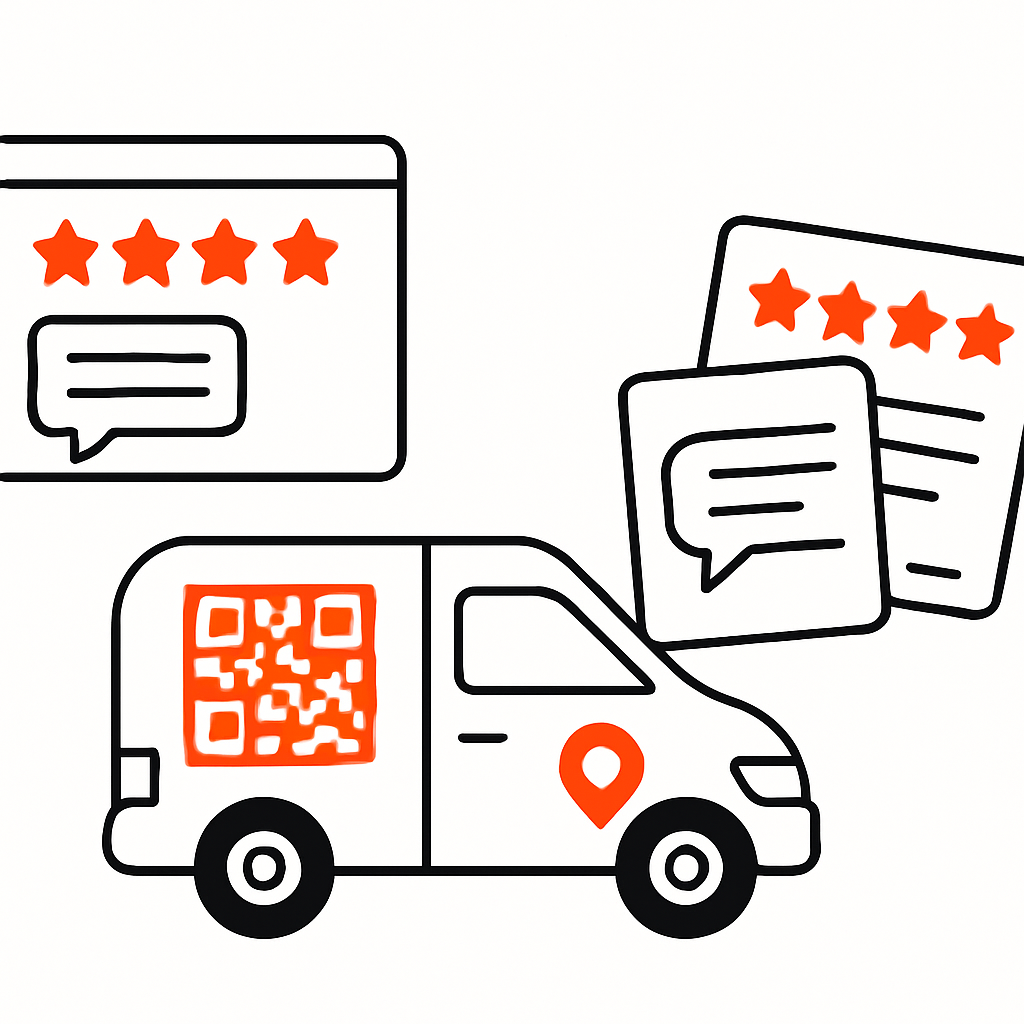
- Vehicle signage or business cards featuring easy-to-scan QR codes
Tools like Taskly can automate the inclusion of your review link at the right time after a job, making it seamless for customers – and hassle-free for you.
Ask at the Right Moment
Timing is everything. The best time to request a review is immediately after the job is completed when the customer’s positive experience is fresh in mind. A simple, friendly message works wonders, for example:
"Thanks again for choosing us today. If you have a moment, a quick Google Review really helps locals find us."
Train Your Team
If you have staff on the ground, equip them with a short script during handover:
"You’ll receive a message soon with a link for feedback. We’d really appreciate your review."
Stay Compliant
Reviews must be authentic. Avoid offering incentives, posting fake reviews, or "review gating" (only soliciting happy customers). Transparency and honesty not only keep regulators happy but also build genuine customer trust.
Step 2: Optimise Reviews for Local SEO
Getting reviews is one thing—getting the right kind matters even more for Google’s algorithm.
Consistency Beats Bursts
Google favours businesses that regularly receive recent reviews over those with occasional spikes. Aim for a steady flow each week or month, adjusted for your job volume.
Encourage Helpful Details (Without Strict Scripting)
Google analyses the text of reviews to better understand your services. Help your customers by saying something like:
"Feel free to mention the specific service we provided today — it helps others understand what we do."
This encourages reviews like "Excellent gutter cleaning in Takapuna" or "Fast same-day cleaner in Sydney," which significantly boosts your local search visibility.
Complete Your Google Business Profile
A fully optimized profile maximises the impact of your reviews. Ensure these essentials are covered:
- Accurate opening hours
- Updated, high-quality photos
- Defined service areas
- Correct business categories
Well-completed profiles consistently outrank incomplete ones in local search results.
Step 3: Respond to Reviews (All of Them)
Replying to reviews isn’t just polite – it deepens customer trust and can improve your SEO.
For Positive Reviews
- Thank customers by name.
- Reference the specific job or service.
- Reinforce your brand values like prompt service or quality workmanship.
Example: "Thanks, Sarah! We’re so pleased to have tidied your garden before the weekend. Our team loves hearing feedback like this."
For Negative Reviews
- Respond swiftly and calmly.
- Acknowledge the customer’s concerns.
- Take the conversation offline to resolve the issue.
- Highlight what steps you’ve taken to fix it.
Potential customers often judge your business by how you handle problems more than the issues themselves.
Step 4: Showcase Reviews Across Your Marketing
Once you’ve collected strong reviews, spread the word far and wide. Most customers need multiple touchpoints before booking.
On Your Website
- Add a Google Reviews widget on your homepage.
- Display star ratings on your service pages.
- Include reviews in your online booking process.
If you’re setting up or updating your site, Taskly’s website builder makes integrating reviews easy and attractive.
In Quotes and Proposals
Including a line like "Rated 4.8 stars on Google with over 150 local reviews" instantly builds credibility and trust.
On Vehicles, Flyers, and Business Cards
A simple QR code with “Read our Google Reviews” cleverly converts offline inquiries into online confidence.

Step 5: Use Reviews to Improve Your Business
Reviews aren’t just marketing gems — they’re a valuable source of honest feedback to fine-tune your service.
Watch for recurring themes, such as:
- "Great communication" → Invest more in your messaging systems.
- "Late arrival" → Refine scheduling and routing for punctuality.
- "Friendly team" → Highlight these strengths in staff training.
With field service scheduling and job tracking tools like Taskly, acting on this feedback to improve routes, reduce delays, and enhance communication is straightforward.
A Practical 4-Week Review Growth Plan
Week 1: Set up
- Optimise your Google Business Profile.
- Create your direct review link and QR code.
- Add review prompts to your SMS and email templates.
Week 2: Train your team
- Educate staff on how and when to request reviews.
- Set achievable goals (e.g., each team member aims for one review per day).
Week 3: Launch your system
- Send review requests after every completed job.
- Monitor progress within your job management software.
Week 4: Review, respond, refine
- Reply to all new reviews promptly.
- Identify common feedback trends for improvement.
- Update your website and quoting templates with your latest star ratings.
Turning Google Reviews Into Your Competitive Advantage
Across service industries in NZ and Australia, a robust Google Review profile can make the difference between steady leads and slow periods. By approaching reviews as an ongoing system—supported by smart processes and the right software—you can transform them into a reliable, powerful growth engine.
Looking to automate review requests, enhance scheduling, and deliver a smoother customer experience? Discover how Taskly supports service businesses of all sizes.
Try Taskly for free and turn your reviews into revenue.